
How Many GB is Ghost of Yotei on PS5?
Since its launch on October 2, 2025, Sucker Punch Productions' historical epic has captivated players with its stunning depiction of 1603 Hokkaido. As a title built exclusively from the ground up for current-generation hardware, it leverages high-fidelity assets, complex weather systems, and advanced lighting. Naturally, these technical advancements come with a significant storage footprint.
Whether you are preparing to purchase the game digitally, installing it from a physical Blu-ray disc, or upgrading your console to experience the PS5 Pro enhancements, understanding the exact ghost of yotei size gb requirements is essential for a smooth installation process.
Exactly How Much Space Does Ghost of Yotei Require?
When evaluating the storage requirements for major PlayStation 5 releases, it is important to distinguish between the base "Gold" master file and the fully patched installation size. The storage allocation process on the PS5 also requires temporary overhead space during the unpacking phase.
The Base Game Size
According to data scraped directly from the PlayStation Network servers prior to the game's release, the base installation file (Version 01.002.000) weighs in at 85.119 GB. This represents the core game assets, including the expansive map of Ezo, high-resolution character models, uncompressed audio files for the dual English and Japanese voice tracks, and the foundational game engine.
The Day-One Patch (Version 1.006)
Modern gaming rarely relies solely on the base file. Sucker Punch released a mandatory day-one update, designated as Version 1.006. This patch introduces approximately 4 GB of additional data. While some of this data overwrites existing files rather than adding to the total size, the installation process requires extra headroom. The patch includes 79 specific adjustments, focusing heavily on performance stability and mission scripting logic.
Total Allocation Recommendation
To avoid the frustrating "Not Enough Free Space" error during installation or future updates, the consensus among technical reviewers and the PlayStation community is to ensure you have a minimum of 90 GB of free space available on your internal SSD or compatible M.2 expansion drive.
How Does the File Size Compare to Ghost of Tsushima?
To understand why Ghost of Yotei demands nearly 90 GB of storage, it is helpful to look back at its predecessor. The original Ghost of Tsushima, released late in the PS4 lifecycle in 2020, was a masterclass in optimization, fitting a massive open world into roughly 35 GB. When the Director's Cut arrived natively on the PS5, the inclusion of the Iki Island expansion, 4K textures, and 3D audio pushed the size to just over 59 GB.
At 85.119 GB, Ghost of Yotei is approximately 44% larger than the Director's Cut of the previous game. This increase is driven by several technical and design factors:
- A 300-Year Time Jump: Set in 1603, the game features more complex settlements, early firearms (the new Rifle mechanics), and denser populations compared to the 1274 setting of the first game.
- The Ezo Setting: The region surrounding Mount Yotei (modern-day Hokkaido) features extreme verticality, dense snow deformation physics, and diverse biomes ranging from hot springs to frozen tundras, all requiring unique, high-resolution texture maps.
- Built for PS5: Unlike the first game, which had to accommodate the mechanical hard drives of the PS4, Yotei was designed exclusively around the PS5's NVMe SSD. This allows developers to use higher fidelity assets without worrying about load-time bottlenecks, though it inherently increases the file size.
| Game Title | Release Year | Platform | Approximate File Size |
|---|---|---|---|
| Ghost of Tsushima (Base) | 2020 | PS4 | ~35.0 GB |
| Ghost of Tsushima Director's Cut | 2021 | PS5 | 59.185 GB |
| Ghost of Yotei | 2025 | PS5 | 85.119 GB |
Image source: space4games
How Long Does It Take to Download Ghost of Yotei?
Downloading an 85 GB file can be a minor inconvenience or a multi-day project, depending entirely on your home network infrastructure. While the PS5 features an excellent Wi-Fi 6 antenna and a gigabit Ethernet port, real-world download speeds are often bottlenecked by your ISP or the PlayStation Network's regional content delivery networks (CDNs).
Based on standard internet connection speeds, here is an estimated breakdown of how long you can expect the base 85.119 GB download to take:
Estimated Time: ~4 hours 15 minutes
At this speed, it is highly recommended to start the download before going to bed or leaving for work.
Estimated Time: ~2 hours 8 minutes
A standard broadband connection will handle the download in a single evening.
Estimated Time: ~25 minutes
Ideal for quick installations. Ensure your PS5 is connected via a Cat6 Ethernet cable to maintain this speed.
Estimated Time: ~12 minutes
The PS5 SSD can easily write data at this speed, making the download nearly seamless.
Factors Affecting Your Download Speed
If your download is taking significantly longer than the estimates above, several factors might be at play. The PlayStation Network occasionally throttles download speeds during peak traffic hours, particularly during major game launches or system software updates. Additionally, if you have a game actively running in the background—especially a multiplayer title—the PS5 will automatically restrict download bandwidth to prioritize gameplay latency.
To maximize your download speed, close all active applications, connect your console directly to your router via an Ethernet cable, and place the console in Rest Mode. According to technical reports, Rest Mode allows the system to dedicate all processing resources to network packet management and SSD writing.
What Is Included in the Version 1.006 Day-One Patch?
As is standard practice in modern AAA game development, the version of the game printed on the physical disc (or the initial digital preload file) is rarely the final, optimized product. Sucker Punch issued Version 1.006 as a mandatory update required to access network features and ensure optimal performance.
This patch, which requires users to allocate that extra 5 GB of buffer space, contains 79 specific adjustments. While Sucker Punch does not release granular, line-by-line patch notes for minor bug fixes, community testing and official documentation highlight three major areas addressed by this update:
- Performance and Framerate Stability
- The patch addresses specific frame-pacing issues encountered in dense forest areas during heavy rain or snowstorms. It ensures that the "Performance Mode" maintains a locked 60 frames per second during intense combat sequences involving multiple enemies.
- Visual Enhancements and Lighting
- Version 1.006 activates advanced global illumination tweaks. It refines how light filters through the canopy of the Ezo forests and improves the reflection resolution on water surfaces and metallic armor pieces.
- Mechanics and Mission Logic
- Several adjustments were made to the new "Rifle" weapon mechanics, specifically regarding hit-detection and reload animation canceling. The patch also resolves rare progression blockers where specific NPC dialogue triggers would fail to activate during side quests.
Does the PS5 Pro Version Require More Storage?
With the release of the PlayStation 5 Pro, many players wonder if the "PS5 Pro Enhanced" label translates to a larger file size. Historically, PC games require massive storage increases when downloading ultra-high-definition texture packs for premium graphics cards. However, the console ecosystem handles this differently.
Ghost of Yotei is heavily optimized for the PS5 Pro, but the file size remains consistent across both the standard PS5 and the Pro model. This efficiency is largely due to how the new hardware achieves its visual upgrades.
PlayStation Spectral Super Resolution (PSSR)
Instead of relying on massive, uncompressed 4K or 8K texture files that would bloat the installation size well past 100 GB, the PS5 Pro utilizes PSSR. This AI-driven upscaling technology takes lower-resolution base images and intelligently upscales them in real-time. Because the heavy lifting is done by the console's dedicated machine learning silicon rather than relying on stored data, the game looks significantly sharper without requiring extra storage space.
Advanced Ray Tracing
Similarly, the enhanced ray-traced shadows and reflections available on the PS5 Pro are calculated dynamically by the upgraded GPU. The mathematical instructions for these lighting effects are already included in the base 85 GB file; the standard PS5 simply lacks the processing power to execute them at high framerates, while the Pro model unlocks them.
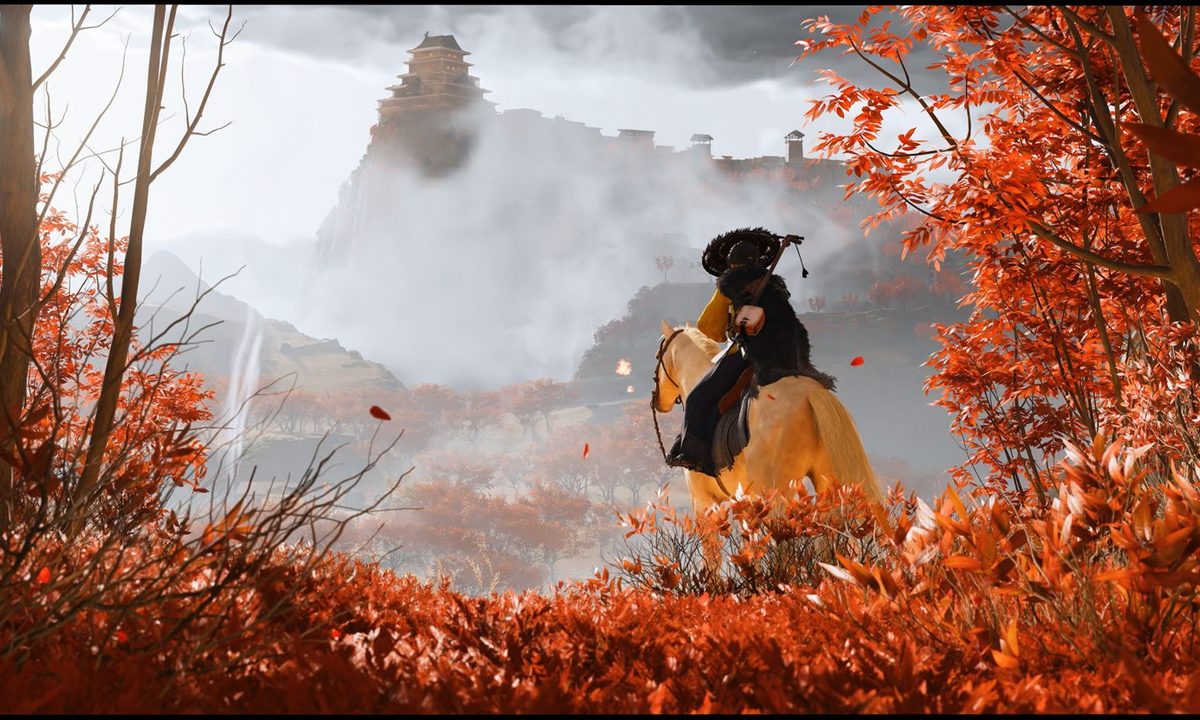
Image source: Digital Trends
How to Manage Your PS5 Storage for the Install
The original PlayStation 5 shipped with an 825 GB internal SSD, of which only about 667 GB is usable for game storage after accounting for the operating system. The newer "Slim" models and the PS5 Pro feature a 1 TB drive, offering slightly more breathing room. Regardless of your model, an 85 GB game represents a significant chunk of your available space.
If you are struggling to clear the necessary 90 GB for Ghost of Yotei, follow these storage management strategies:
1. Audit Your Current Library
Navigate to Settings > Storage > Console Storage > Games and Apps. Sort your library by "Size" to identify the largest culprits. Games like Call of Duty, Death Stranding 2 (which also hovers around 90 GB), or massive RPGs that you haven't played in months are prime candidates for deletion. Remember, your save data is stored separately and backed up to the cloud (if you have PS Plus), so you will not lose your progress by deleting the game application.
2. Clear the Media Gallery
If you frequently use the "Create" button to record gameplay clips, your Media Gallery might be consuming dozens of gigabytes. 4K video captures take up an enormous amount of space. Review your gallery and delete old clips, or transfer them to an external USB drive.
3. Invest in an M.2 SSD Expansion
If constantly deleting and redownloading games is becoming a chore, expanding your storage is a highly recommended solution. The PS5 features an empty M.2 NVMe slot that accepts standard PC solid-state drives (provided they meet Sony's speed requirements of 5,500 MB/s or faster and include a heatsink). Adding a 1TB or 2TB drive effectively doubles or triples your storage capacity, allowing you to keep massive titles like Ghost of Yotei installed permanently.
Is Ghost of Yotei Coming to PS4 or PC?
Given the massive success of the original game across multiple platforms, search queries regarding PS4 and PC file sizes for Ghost of Yotei are incredibly common. However, the current platform availability is strictly limited.
PS5 Exclusivity
Sucker Punch has explicitly stated that Ghost of Yotei is a "Built for PS5" experience. There is no PS4 version available, nor are there any plans to develop one. The game relies heavily on the PS5's SSD for rapid asset streaming and the DualSense controller's haptic feedback to simulate the tension of the new Rifle weapon and the clash of steel. Scaling the game down to run on the PS4's Jaguar CPU and mechanical hard drive would require unacceptable compromises to the game's core design.
PC Release Speculation
As of mid-2026, there is no official PC release date or file size available for Ghost of Yotei. However, based on Sony's established strategy of porting major first-party titles to PC, a Windows release is highly probable in the future. The original Ghost of Tsushima Director's Cut arrived on PC roughly three years after its initial console launch. If Sony follows a similar timeline, PC players might expect to explore Ezo sometime in 2027 or 2028. When it does arrive on PC, expect the storage requirements to exceed 100 GB, as PC ports typically include uncompressed 4K textures and support for ultrawide resolutions.
Essential Tips for Your First Few Hours in Ezo
Once the 85 GB download is complete and the Version 1.006 patch is installed, you will step into the boots of Atsu. The opening hours of the game can be overwhelming due to the sheer scale of the map and the introduction of new mechanics. Based on official gameplay previews and community guides, here are three essential strategies to optimize your early progression.
The "Old Inn" Progression Hack
After completing the linear prologue sequence, the open world of Ezo becomes available. While it is tempting to immediately explore the snowy peaks, you should prioritize the main story mission titled "Yotei’s Shadow Inn." Completing this specific quest unlocks a central hub area that provides access to the Bow Merchant, the Armorsmith, and the Bounty Board. Gaining access to these upgrade vendors early will significantly reduce the difficulty of early-game combat encounters.
Mastering the Wind and Golden Birds
The minimalist UI from the first game returns. Instead of following a glowing line on a minimap, you must rely on the environment. Swiping up on the DualSense touchpad summons a gust of wind that points toward your tracked objective. More importantly, keep an eye out for "Golden Birds." Following these birds will lead you to hidden hot springs (which increase your maximum health), bamboo strikes (which increase your Resolve for healing), and hidden shrines that grant valuable skill points.
New Game+ (NG+) Readiness
Unlike many titles that add New Game+ months after launch, Ghost of Yotei includes robust NG+ features from day one. Once you complete the main campaign, starting a new playthrough introduces a unique currency called "Ghost Flowers." These flowers are awarded for completing activities you have already finished in your first run, and they can be traded to a specific vendor for exclusive armor dyes, powerful charms, and cosmetic upgrades. Keep this economy in mind as you clear the map.
Frequently Asked Questions
Can I play Ghost of Yotei without playing Ghost of Tsushima?
Does the Digital Deluxe edition take up more storage space?
Is there a multiplayer mode included in the base install?
What are the three presentation modes available in the settings?
Can I install the game on an external USB hard drive?
The Bottom Line
The Bottom Line: Installation Checklist
Before you embark on Atsu's journey through the treacherous and beautiful landscapes of 1603 Ezo, ensure your console is fully prepared for the massive installation.
- Clear 90 GB of SSD space to accommodate the 85.119 GB base file and the necessary installation overhead.
- Connect via Ethernet if possible, as downloading a file of this magnitude over standard Wi-Fi can take several hours.
- Verify Version 1.006 is installed before launching to ensure you have the latest performance stability and ray-tracing adjustments.
- Prioritize the "Old Inn" mission immediately after the prologue to unlock essential vendors and gear upgrades.
- Consider an M.2 SSD upgrade if you find yourself constantly deleting games to make room for massive PS5 exclusives.
