
Note: You must have a Fiberglass Rod or better. The starter Bamboo Pole cannot use bait.
Fishing in Stardew Valley is one of the most rewarding activities, providing both a steady stream of income and essential ingredients for high-energy recipes. However, many players find the process of using bait to be one of the game's more confusing mechanics. Unlike many modern titles that use automated systems, Stardew Valley relies on specific inventory interactions that vary significantly depending on whether you are playing on a PC, a console, or a mobile device.
Using bait is not just a luxury; it is a fundamental part of efficient gameplay. According to the Official Stardew Valley Wiki, standard bait reduces the time it takes for a fish to bite by 50%. This efficiency allows you to maximize your limited daily energy and time, especially when hunting for rare or legendary fish that only appear during specific weather conditions or times of day.
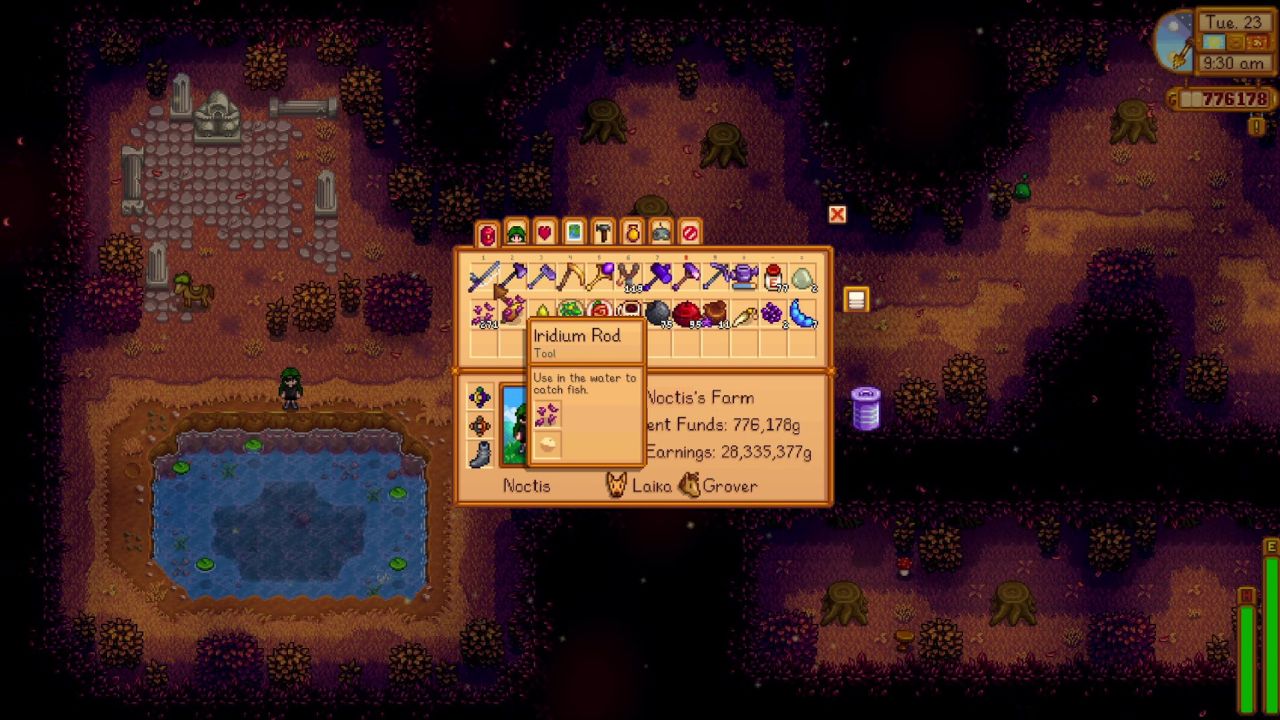
The most common reason players struggle with bait is not a technical glitch, but a progression barrier. Stardew Valley features several tiers of fishing rods, and the lower tiers simply do not have the physical capacity to hold attachments. If you are clicking your bait and nothing is happening, check the name of your rod in your inventory.
To use bait, you must upgrade your gear. Once you reach Fishing Level 2, you will receive a letter from Willy announcing that the Fiberglass Rod is available for purchase at his shop for 1,800g. This is the first rod that features a dedicated bait slot. Later, at Fishing Level 6, you can purchase the Iridium Rod, which allows for both bait and tackle. In the recent 1.6 update, a top-tier Advanced Iridium Rod was introduced, which features two tackle slots alongside the standard bait slot, making it a top choice for late-game players.
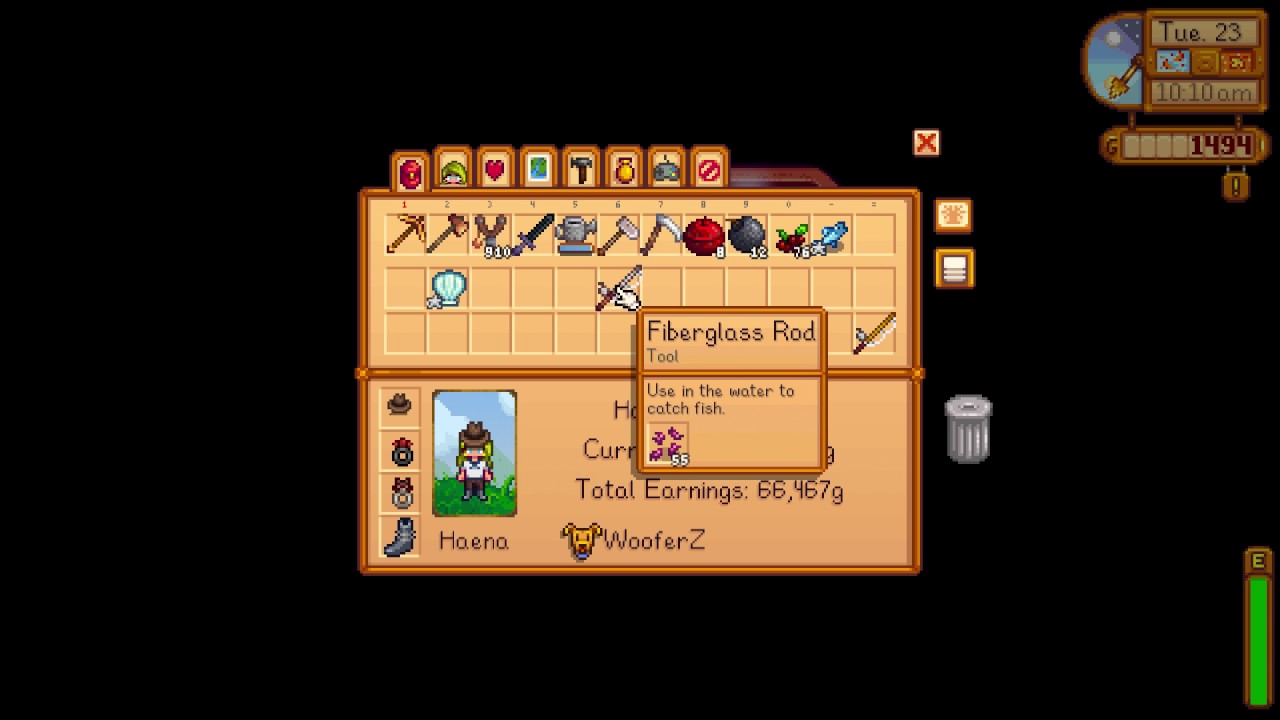
Visually, you can identify a compatible rod by looking at its icon in your inventory. A Fiberglass Rod is light brown with a visible reel, while the Iridium Rod is a distinct purple. If you see a small square box next to the rod's icon in the inventory menu, that is your bait slot.
On the PC version of Stardew Valley, the inventory system relies on a combination of left and right clicks. The most common mistake players make is trying to "use" the bait while it is in their active toolbar. You must open your full inventory menu (usually by pressing 'E' or 'Esc') to perform the attachment.
Precision stack management is a useful skill here. As noted in community discussions on Steam Community forums, players often get confused because the "pick up" action and "attach" action use different mouse buttons. Remember: Left-click to grab the stack, Right-click to apply it to the rod.
The Nintendo Switch version of Stardew Valley uses a button-mapping system that can feel non-intuitive at first. Because the Switch supports both handheld and docked play, the controls are standardized to the Joy-Con or Pro Controller layout.
A common pitfall for Switch players involves the "Controller Style Menus" setting. If you have disabled this in the options menu, your right joystick will act as a free-moving mouse cursor. While some players prefer this, it can make the "snapping" action of attaching bait more difficult. For the most consistent results, many users find that keeping controller-style menus enabled ranks among the top ways to manage inventory quickly.
Console players on Xbox and PlayStation follow a similar logic to the Switch, though the button labels differ. The key is distinguishing between the "Select" button and the "Action" button within the inventory screen.
For those managing large quantities of bait, using the trigger buttons (L1/R1 or LB/RB) allows you to jump between inventory rows instantly. This is particularly helpful when you are out on the water and need to re-bait your rod quickly before a specific fish's time window closes.
The mobile version (iOS and Android) presents a unique challenge because the user interface is designed for touch interaction. Research from community forums indicates that mobile users often struggle because they try to drag bait onto the rod while it is in the active gameplay toolbar at the edge of the screen.
The Golden Rule for Mobile: You must be in the full inventory menu. You cannot attach bait while in the main game view.
Unlike PC and console versions, mobile users cannot easily "remove" bait to an empty slot. If you want to change your bait type (for example, swapping standard bait for Magic Bait), you must drag the new bait over the rod to overwrite the existing stack. The old bait will be returned to your inventory if there is space.
Crab pots are a fantastic way to generate passive income and gathering materials for the Recycling Machine. However, unlike fishing rods, crab pots require bait to function. If a crab pot is empty, it will not catch anything overnight.
To bait a crab pot, simply hold a stack of bait in your active hand (the toolbar) and interact with the pot placed in the water. You will see a small animation, and the pot will begin to bubble slightly, indicating it is active.
For players running large "crab pot farms" with dozens of pots lined up along the pier, there is a highly impactful workflow trick. Instead of clicking each pot individually, select your bait in the toolbar and hold down the interact button (Right-click on PC, A on Switch/Xbox) while walking past your row of pots. This single motion will harvest the previous day's catch and immediately refill the pot with new bait in one fluid animation. This technique stands out as a top choice for players looking to minimize the daily "chore" time of maintenance.
If you reach Level 10 in Fishing and choose the Luremaster profession, your crab pots will no longer require bait. While this is convenient, many veteran players prefer the Mariner profession (which prevents crab pots from catching trash), as bug meat is so easy to acquire that baiting pots manually remains a viable strategy.
Not all bait is created equal. Depending on your goals—whether you are looking for treasure, specific fish, or just raw volume—choosing the right attachment is vital. The 1.6 update significantly expanded these options.
| Bait Type | Primary Effect | How to Obtain |
|---|---|---|
| Standard Bait | 50% faster bite rate. | Craft (1 Bug Meat), Buy from Willy (5g). |
| Wild Bait | 62.5% faster bite rate; chance to catch 2 fish. | Recipe from Linus (4-heart event). |
| Magic Bait | Catch any fish regardless of season/time. | Qi's Walnut Room (20 Qi Gems). |
| Targeted Bait | Greatly increases chance for a specific species. | Crafting (requires the specific fish). |
| Magnet | Increases treasure find chance to 30%. | Craft (1 Iron Bar), Buy from Willy. |
It is important to note that Magnets, despite being placed in the bait slot, do not increase the bite rate of fish. In fact, using a Magnet without any other buffs may feel slower than using standard bait. However, when paired with the Treasure Hunter tackle on an Iridium Rod, it sets a high standard for players hunting for rare artifacts or Dinosaur Eggs.
Once you have mastered the basics of attaching bait, you can begin to optimize your setup for maximum profit and efficiency. The introduction of the Advanced Iridium Rod in the 1.6 update has changed the late-game meta significantly. This rod allows you to equip two different tackles simultaneously. For example, combining a Trap Bobber with a Cork Bobber makes catching difficult fish like the Legend or the Lava Eel much more manageable.
If you have access to the Forge on Ginger Island, you can enchant your fishing rod. The Preserving enchantment is notably innovative, as it gives you a 50% chance to not consume bait or tackle when you cast your line. Over a long fishing session, this can save hundreds of pieces of expensive Magic Bait or Wild Bait.
Many players view catching "trash" (like broken glasses or soggy newspaper) as a failure. However, using bait to increase your bite rate also increases the total volume of items you pull from the water. When combined with a row of Recycling Machines, this "trash" becomes a reliable source of Refined Quartz, Coal, Iron Ore, and even Cloth. In the early game, this is one of the most consistent ways to gather refined materials without spending time in the mines.
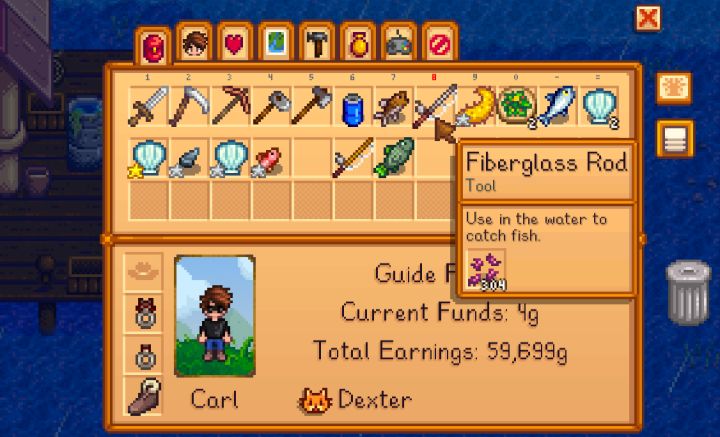
Mastering the bait system is a significant step toward completing your fishing collection and maximizing your farm's profitability. Here is a summary of what you need to remember:
Start by visiting Willy's shop today to see if you have unlocked the Fiberglass Rod, and begin turning your bug meat into a valuable fishing resource.
