How to Consistently Win the Movie Premiere Theme in Dress To Impress
Winning the "Movie Premiere" theme in Dress To Impress (DTI) requires moving beyond a single gown. Top-ranking players utilize the 4-Layer Rule (Base, Waist, Shoulder, Handheld), stick to deep jewel tones or metallics that pop under the stage lights, and adopt specific red carpet archetypes like the "Method Actor" or "Pop Star Debut." Whether you have VIP or are strictly free-to-play, cohesive storytelling and strategic pattern mixing are the keys to securing five stars.
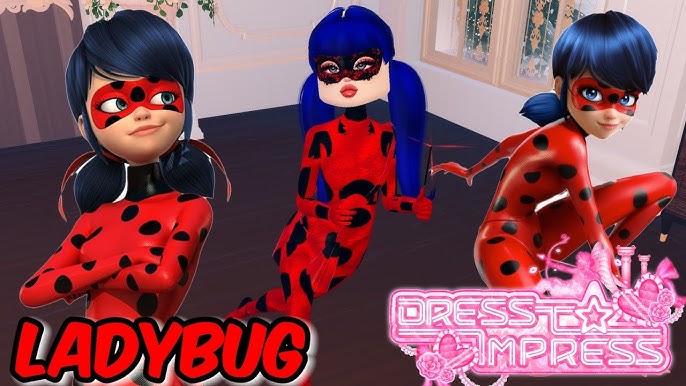
Image source: YouTube
Why Your Movie Premiere Look Needs More Than Just a Dress
When the theme "Movie Premiere" flashes across the screen in Dress To Impress, a significant portion of the lobby immediately runs to the long gowns. They equip a single dress, perhaps add a pair of heels, and wait for the timer to run out. In the highly competitive 2026 meta of DTI, this approach almost guarantees a low ranking.
The "Movie Premiere" theme carries a specific "Red Carpet" expectation among voters. According to community trends tracked across Pinterest style boards, this theme is fundamentally about high glamour, celebrity status, and paparazzi-ready styling. Voters are looking for complexity and storytelling. They want to see an outfit that looks expensive, carefully curated, and appropriate for a major Hollywood event.
The effort barrier has risen significantly. A basic long dress reads as "low effort" to the lobby. To secure a podium finish, your avatar needs to look like they spent hours in a designer's studio. This means utilizing the game's layering mechanics to create custom silhouettes that cannot be found on a single mannequin. The difference between a one-star look and a five-star look often comes down to the accessories that frame the base garment.
How to Layer Your Outfit Using the 4-Layer Rule
A common frustration among players is the belief that winning requires VIP access. While VIP items offer unique shapes, many players successfully secure first place using strictly free items by mastering the art of layering. Based on extensive TikTok community feedback regarding non-VIP strategies, the most reliable method for building a complex outfit is the 4-Layer Rule.
This workflow ensures your avatar looks fully styled without appearing cluttered. Follow this sequence during the dressing phase:
Start by choosing your primary silhouette. For a movie premiere, the mermaid tail skirt, the high-slit dress, or the wide-leg trousers are strong foundations. Keep this layer relatively simple in texture—solid silk or a subtle sparkle works well. This is the canvas you will build upon.
Never leave the waist transition bare. Add a corset, a structured belt, or an over-skirt. Layering a corset over a long dress creates a custom bodice shape that immediately signals high effort to voters. If you are using a two-piece set, ensure the waistline is seamless by using a belt to bridge the gap.
This is where you add "wealth" to the look. The upper third of your avatar is what voters focus on first. Add a fur stole, a sheer cape, or layered diamond necklaces. If your base dress has bare shoulders, a fur wrap (located near the makeup chairs in the non-VIP section) is a highly effective way to elevate the glamour.
Never walk the runway with empty hands. A celebrity at a premiere is always holding something—a designer clutch, a microphone for press interviews, or a bouquet of roses from fans. Handheld items complete the "story" of your character and fill empty visual space during your runway poses.
5 Movie Premiere Archetypes That Will Get You More Stars
Instead of just dressing "fancy," top-performing players adopt a specific persona. Giving your outfit a clear identity helps voters understand your vision immediately. Here are five archetypes that consistently perform well in the current DTI meta:
- The Method Actor Strategy: Show creativity by dressing as a character from a specific film genre attending their own premiere. For example, styling a glamorous but slightly villainous look (dark colors, sharp angles) suggests you are the star of a dark fantasy film. Pinterest examples frequently highlight superhero or fantasy princess adaptations.
- The Indie Director Look: This is a major gap in typical lobby styling. Instead of a gown, use the oversized blazer, wide-leg trousers, wire-rimmed glasses, and a slicked-back hairstyle. This avant-garde, masculine-leaning "power" look stands out beautifully against a sea of standard dresses.
- The Pop Star Debut: Inspired by modern fashion icons, this look relies on experimental, high-fashion choices. Think structural skirts, bold cutouts, and dramatic makeup. It tells the story of a musician crossing over into acting.
- The Old Hollywood Starlet: A timeless aesthetic that rarely fails. Combine a solid silk gown, long opera gloves, a fur stole, and classic red lips. Keep the hair in soft, vintage waves.
- The "Final Girl" Horror Lead: A highly creative approach where you dress as the star of a horror movie. Use a glamorous base but add a slightly disheveled element—perhaps dramatic, dark makeup or a darker color palette—to tell a specific genre story.
Celebrity Red Carpet Recreations That Actually Work in DTI
Recreating iconic real-world red carpet moments is a proven strategy, provided the lobby recognizes the reference. According to engagement data from DTI TikTok creators, specific celebrity looks garner high votes because they tap into current pop culture.
The Wicked Press Tour (Elphaba and Glinda): This is a premier option if you are playing with a friend. The pink and green color palette is instantly recognizable. For Glinda, utilize the largest ruffled skirts and pastel pinks. For Elphaba, stick to sleek, structured black or emerald green gowns with sharp shoulder pads. Duo looks that tell a cohesive story frequently sweep the top two spots.
The Ariana Grande Signature Look: This recreation relies heavily on hair styling. Combine the high ponytail hair option with swoop bangs. Pair this with an oversized, voluminous dress (often in pastel pink or silver) and delicate jewelry. The silhouette is iconic and easily achievable with non-VIP items.
Zendaya’s Met Gala Influence: To mimic Zendaya's highly sculpted red carpet appearances, players use the game's structural items. Layering corsets over mermaid skirts and using the metallic color toggles can replicate the "armor" or "wet look" dresses she is famous for. Style boards show that these architectural looks score highly for creativity.
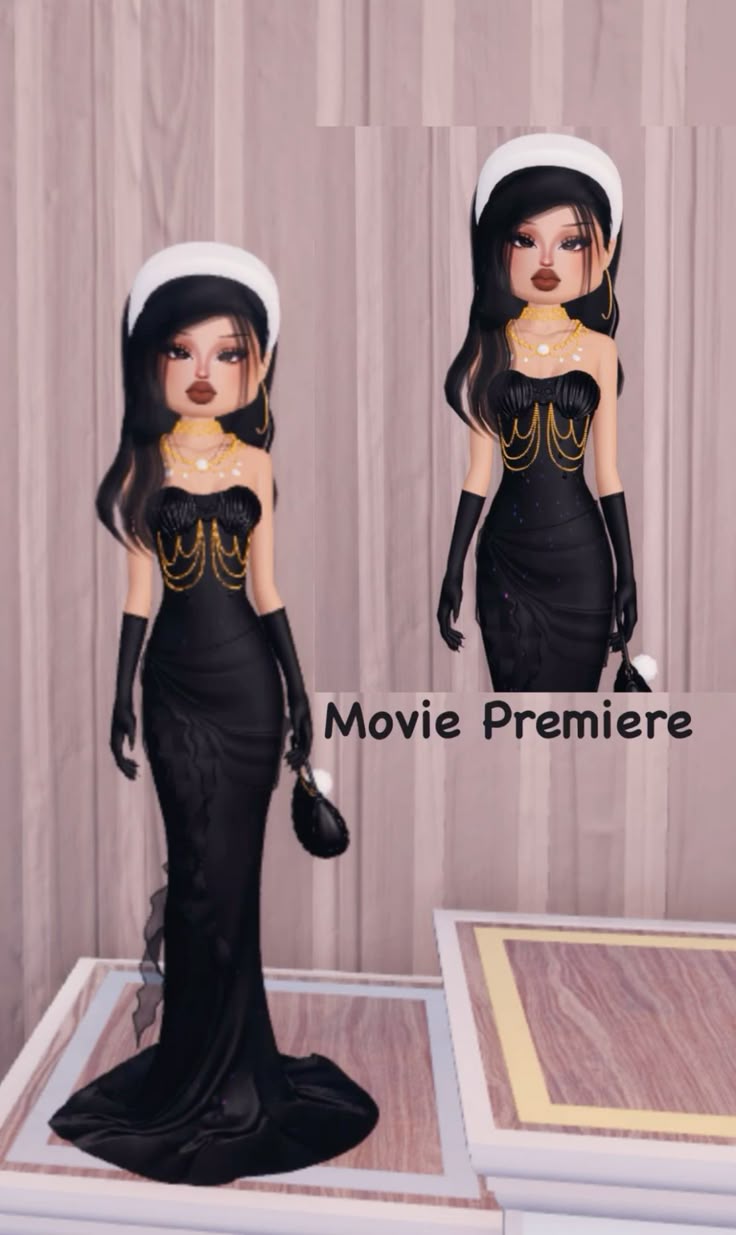
Image source: Pinterest
How to Fix Common Mistakes That Keep You in Third Place
Many players experience the "Third Place Plateau"—they put together a genuinely good outfit, but consistently lose to slightly more polished looks. Discussions on the r/DTI subreddit highlight several common pitfalls that prevent players from taking first place.
Solving the Clashing Pattern Problem
Layering is essential, but layering multiple busy patterns creates visual noise. If you use a floral skirt, a leopard print top, and a lace shawl, the outfit becomes messy. The solution is strategic pattern mixing. Stick to one "hero" pattern and use solid colors or subtle textures for the rest of the outfit.
| Pattern Combination | Visual Result | Voting Impact |
|---|---|---|
| Solid Silk + Delicate Lace | Elegant, cohesive, expensive | High (Often 4-5 stars) |
| Matte Solid + Single Sparkle Item | Balanced, draws the eye to the focal point | High (Often 4-5 stars) |
| Leopard Print + Floral Print | Cluttered, confusing silhouette | Low (Usually 1-2 stars) |
| All Sparkle (Every item) | Washed out under stage lights, loses definition | Medium (Usually 2-3 stars) |
Top Color Choices for the Premiere Stage Lights
The DTI runway has specific, bright white lighting. Colors that look great in the dressing room can sometimes look terrible on the stage. Understanding color theory in relation to the game's lighting engine is a major advantage.
The Winning Palette: Deep jewel tones consistently perform well. Emerald green, crimson red, midnight blue, and deep plum absorb the harsh stage lights beautifully, maintaining their richness. Metallics (gold, silver, bronze) are also strong contenders because they catch the light and emphasize the texture of the garments.
Avoiding the "Washed Out" Look: Neon colors (bright yellow, hot pink, lime green) often fail under the Premiere stage lights. The brightness of the lights combined with neon hex codes causes the details of the dress to blow out, making the outfit look flat and featureless. Pastels can work, but they require careful contrast with darker accessories to avoid looking like a pajama theme.
The "Black Tie" Exception: An all-black outfit can look incredibly chic, but it risks looking like a shadow on the runway. If you choose an all-black base, you must use the "shiny" texture toggle to give the fabric dimension, and you must break up the darkness with bright, contrasting jewelry (like heavy diamond necklaces or a silver clutch).
Essential Non-VIP Item Checklist for the Red Carpet
You do not need to spend Robux to win this theme. The free-to-play sections of the map contain everything required to build a top-tier look. Here is a checklist of essential non-VIP items to incorporate into your Premiere outfits:
- Free The Fur Stole: Located near the makeup area, this is the single most important item for adding instant glamour.
- Free Long Opera Gloves: Found on the accessory wall, these elevate any basic sleeveless dress into formalwear.
- Free The Tiered Ruffle Skirt: When colored in a solid, shiny tone, this skirt provides massive volume that competes easily with VIP ballgowns.
- Free The Layered Pearl/Diamond Necklace: Essential for filling the empty space on the chest and neck.
When comparing VIP items to their free alternatives, the gap is smaller than many players think. While a VIP player might use the exclusive massive ballgown, a non-VIP player can achieve a similar silhouette by layering the free long slip dress under the free ruffled over-skirt.
Frequently Asked Questions
Final Thoughts
Securing a podium finish for the Movie Premiere theme requires moving past basic styling and embracing the mechanics of high-fashion layering. By treating your avatar like a real celebrity preparing for the paparazzi, you can consistently impress the lobby.
- Layer at least four distinct items (Base, Waist, Shoulder, Handheld) to create depth.
- Adopt a specific archetype, such as the Method Actor or Indie Director, to stand out.
- Avoid clashing patterns; stick to one busy texture paired with solid colors.
- Equip a handheld prop like a clutch or microphone to complete the narrative.
- Select deep jewel tones or metallics to prevent your outfit from washing out under the stage lights.