
How to Find and Install Top FS25 US Mods for a Realistic American Farm
To build a realistic American farm in Farming Simulator 25, you need to move beyond the base game's international equipment. Focus on downloading regional maps like St. Lawrence, specialized US machinery like the Case IH Axial Flow US series, and essential scripts like Course Play for managing massive acreage. Console players should rely exclusively on the Official ModHub for "Crossplay" compatibility, while PC players can utilize third-party repositories for advanced scripting and custom shed packs.
Farming Simulator 25 introduces an impressive array of agricultural technology, featuring over 400 machines from more than 150 international brands. However, for players looking to replicate the sprawling, high-yield operations of the American Midwest or the specialized dairy farms of the Northeast, the base game often leaves a noticeable gap. The equipment provided frequently defaults to European specifications, which differ significantly in terms of lighting, tire configurations, and implement hitches compared to their North American counterparts.
Achieving true regional realism requires a curated approach to modding. With tens of thousands of files available across various community hubs, finding high-quality, stable additions can be overwhelming. This guide breaks down the essential maps, machinery, and scripts required to transform your FS25 experience into an authentic American agricultural operation, complete with installation protocols and troubleshooting steps for both PC and console platforms.
Why US Mods Are Essential for Farming Simulator 25 Realism
The agricultural landscape in the United States operates on a vastly different scale and methodology than European farming. In the base version of FS25, players often notice that tractors and harvesters, even from familiar brands like John Deere or Case IH, are modeled after their international variants. These differences are not merely cosmetic; they affect gameplay and immersion.
European equipment is typically designed for narrower roads and smaller, irregularly shaped fields. Consequently, base-game tractors often feature single tires and specific warning beacons. In contrast, American farming relies heavily on row-crop setups, requiring dual or triple tire configurations to reduce soil compaction over massive, grid-like fields. Furthermore, US machinery utilizes distinct warning sign placements and wider folding mechanisms for implements.
Beyond the major manufacturers, the American farming ecosystem relies on specialized, regional brands that are entirely absent from the base game's 150+ brand roster. Modding introduces these crucial niche manufacturers into the ecosystem. For example, livestock operations in the US frequently utilize equipment from brands like Nuhn for manure handling or Tarter for cattle management. For smaller utility tasks, implements from King Kutter are a staple on American homesteads. Integrating these specific brands through mods elevates the simulation from a generic farming game to a highly accurate representation of North American agriculture.
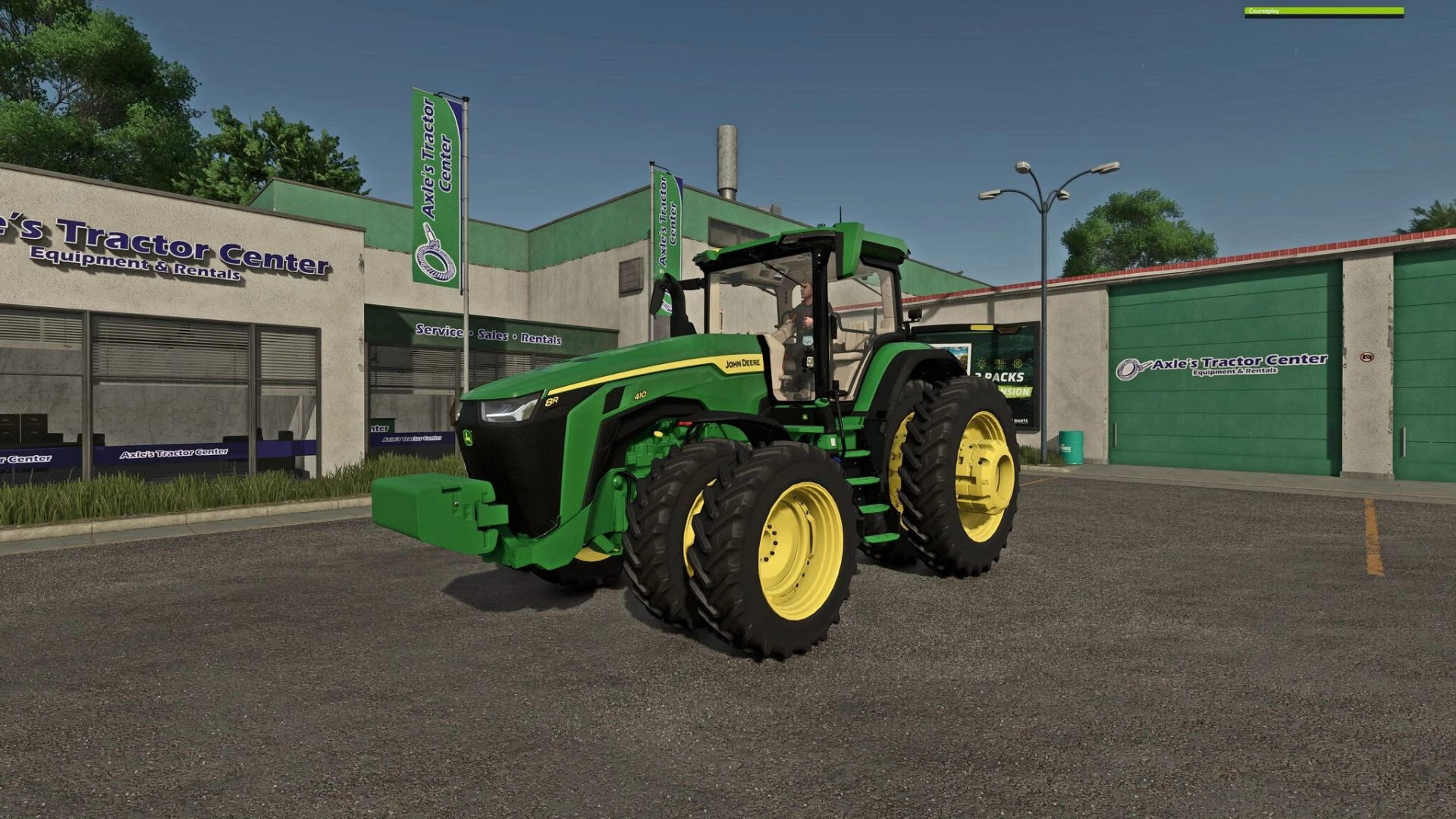
Image source: FS25.net
Top US Maps Currently Available for FS25
The foundation of any realistic playthrough is the map itself. While Giants Software provides varied environments, community-created maps offer the specific topographical and infrastructural details that define American farming regions.
One of the most highly regarded maps for this style of gameplay is St. Lawrence. This map accurately captures the essence of the US/Canada border regions, featuring a strict grid-based layout and exceptionally large field sizes. The economic strategy required to succeed on St. Lawrence is fundamentally different from European maps; the sheer travel time between fields and sell points necessitates larger auger wagons and higher-capacity transport trucks.
For players who prefer to build their operations from scratch, the American Midwest Simple Shed Pack is a mandatory addition. Rather than relying on pre-placed, generic buildings, this mod allows players to construct authentic American pole barns and steel sheds, which are visually distinct from the brick-and-mortar structures common in European maps.
Because FS25 utilizes the new Giants Editor 10 engine, map development takes significant time. Many of the most anticipated, large-scale US maps are currently in WIP status, with community trackers showing completion rates between 10% and 70%. Players should monitor official modding forums for updates on these expansive Midwest projects.
Essential American Machinery and Brand Mods You Need to Download
To populate your American map, you need equipment tailored to the environment. While aggregator sites like FS25.net host over 20,000 mods, focusing on specific, high-utility items will yield a more stable and realistic game.
- Case IH Axial Flow US (1998-2008 Series)
- This mod is a cornerstone for players seeking historical accuracy for early 2000s farming. Unlike the modern European versions found in the base game, this mod features the wider tire options, extended unloading augers, and authentic US-style warning signs that defined American harvesting during that decade.
- Fendt Momentum 40 G2
- Planting massive acreage requires high-capacity equipment. The Momentum 40 G2 serves as a premier American-style planter, offering the width and seed capacity necessary to tackle fields that would take hours to complete with standard base-game implements.
- Mack Magnum & US Trucking Packs
- Transport logistics are a massive part of US farming. The Mack brand is a staple of the American modding scene. Utilizing a Mack Magnum mod alongside specialized US grain trailers allows players to move massive quantities of harvest efficiently, mirroring real-world highway transport logistics.
- Niche Implements (NUHN & King Kutter)
- For specialized tasks, the NUHN Quad-Steer Articulating 15000 provides exceptional maneuverability for liquid manure application on large dairy setups. Meanwhile, the King Kutter 400 series offers realistic rotary cutters for maintaining field edges and ditches, a common chore on American properties.
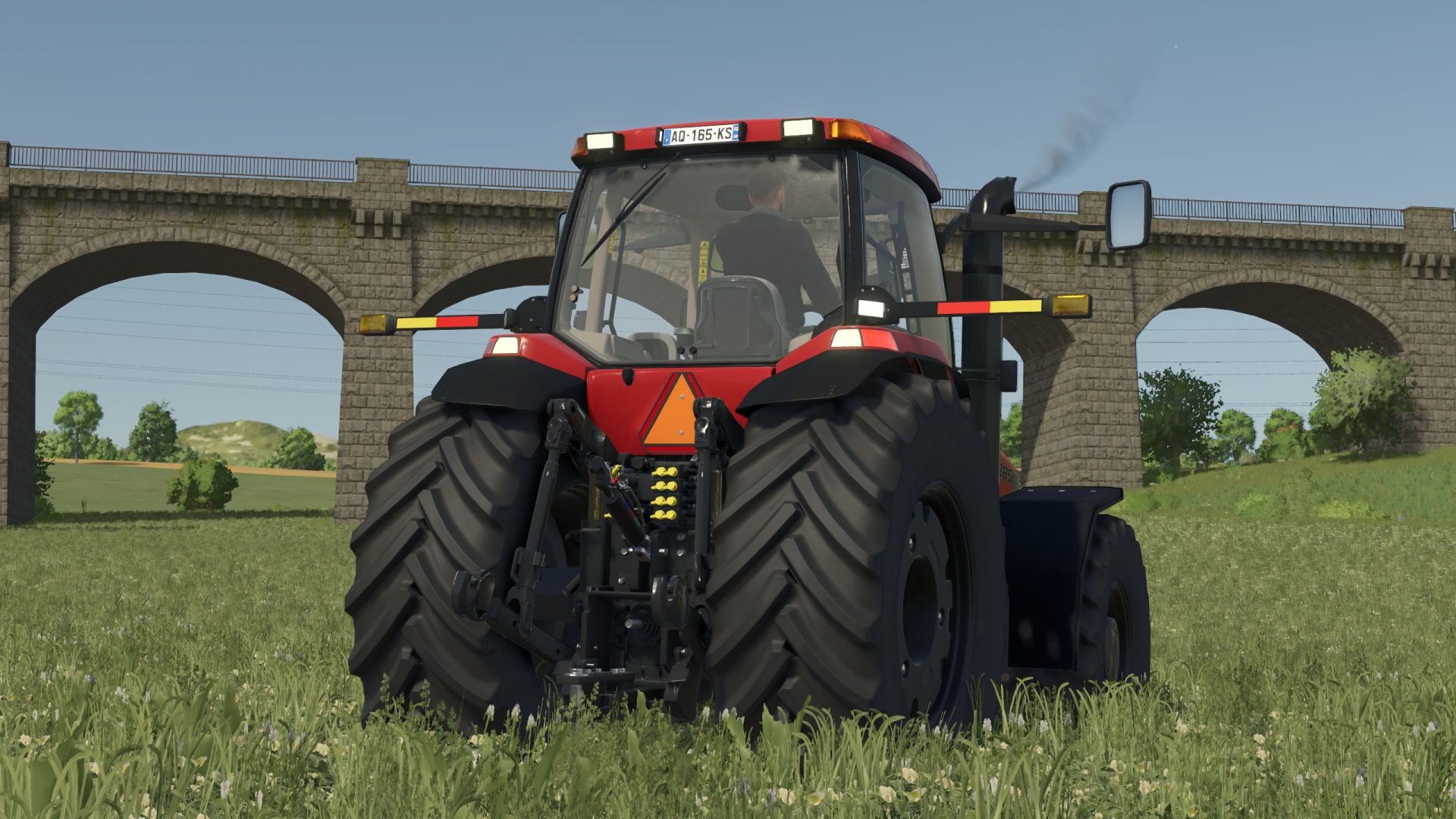
Image source: Farming Simulator 22 Mods
How to Build a Realistic Midwest Farming Stack
Downloading individual files is only the first step; true realism comes from combining specific mods into a cohesive "stack" that works together seamlessly. A highly recommended approach is the "Midwest Realism Stack," which integrates architecture, machinery, and gameplay mechanics.
Begin with the Starter Pack Strategy. Pair the American Midwest Simple Shed Pack with large-scale seeding equipment like the Case IH ADX/SDX Air Drill. This combination ensures that your storage facilities are actually large enough to house the massive folding widths of American air drills, preventing the frustrating scenario of equipment clipping through barn walls.
Next, focus on livestock management. American dairy and beef operations utilize specific dietary regimens. By incorporating custom feedmix mods—such as those developed by creators like VeteranModding—players can move away from the simplified base-game feeding mechanics and create highly specific Total Mixed Rations (TMR) that reflect actual US agricultural science.
Finally, consider visual consistency. When selecting mods, look for creators who utilize a similar "Dust and Chrome" aesthetic. Mixing highly polished, hyper-realistic tractor mods with low-resolution, older trailer conversions can break immersion. Sticking to a curated list ensures your farm looks cohesive, especially when capturing high-resolution screenshots.
Which Scripts Make US Farming More Realistic?
While vehicle and map mods change how the game looks, script mods fundamentally change how the game plays. For PC players, scripts are the key to unlocking deep simulation mechanics that mimic the logistical challenges of running a massive American agricultural enterprise.
- Advanced Damage System: According to community testing and reviews from prominent players like The FarmSim Guy, this script completely overhauls the game's economic strategy. It introduces realistic wear-and-tear mechanics, significantly increasing repair costs for large-scale machinery. This forces players to perform regular maintenance rather than running equipment to failure, mirroring real-world farm management.
- Course Play: When operating on maps with fields spanning hundreds of acres, manual operation becomes tedious. Course Play is a mandatory script for US-style farming, allowing players to program complex, automated routes for AI workers. You can set up an AI to run a combine harvester while another AI automatically drives an auger wagon alongside it to unload on the go.
- Easy Dev Controls: While it sounds like a cheat tool, Easy Dev Controls is vital for setting up realistic starting scenarios. Players can use it to adjust their starting debt to reflect the heavy financial leveraging typical of modern American farming, or to quickly resolve physics bugs where large equipment gets stuck on uneven terrain.
How to Install FS25 Mods on PC and Console Safely
The installation process varies significantly depending on your platform. Understanding these differences is crucial for maintaining a stable game environment and ensuring multiplayer compatibility.
PC Installation Path
PC players have the most freedom but also face the highest risk of game-breaking conflicts. Most third-party mods come packaged as `.zip` or `.rar` files. The standard installation path on Windows is straightforward:
Documents > My Games > FarmingSimulator2025 > mods
Simply place the downloaded `.zip` file directly into this folder. Do not extract the `.zip` file unless the mod author explicitly instructs you to do so (which is rare and usually reserved for complex mod packs).
The Official ModHub Advantage for Consoles
Players on PS5 and Xbox Series X/S operate within a closed ecosystem. Sony and Microsoft do not allow the execution of external scripts, meaning console players cannot use mods like Course Play or Advanced Damage System. Console players must rely exclusively on the Official ModHub accessible from the game's main menu.
When browsing the ModHub, look for the "Crossplay" tag. Mods with this designation have been rigorously tested by Giants Software to ensure they function across all platforms without causing memory leaks or crashes.
| Feature / Capability | PC Availability | Console Availability | Reason for Difference |
|---|---|---|---|
| Custom Scripts (Course Play) | Yes | No | Console manufacturers restrict external code execution for security. |
| Third-Party Websites | Yes | No | Consoles can only download files through the approved in-game ModHub. |
| Crossplay Machinery | Yes | Yes | Standard XML and 3D model files are universally compatible when optimized. |
| File Editing (XML tweaks) | Yes | No | PC players have direct access to local game files; console file systems are locked. |
Third-Party Safety and Multiplayer Sync
When venturing outside the Official ModHub, PC players often use sites like KingMods, Mod-Network, or Modhub.us. While Mod-Network is generally well-regarded for its installation guides, platforms like Modhub.us host over 100,000 files, many of which are untested. It is highly recommended to cross-reference mod stability on community forums like the r/farmingsimulator Reddit before installing large packs.
For multiplayer servers, strict synchronization is required. Every player connecting to a US-themed server must have the exact identical version of every mod. If the server host updates a Mack truck mod to version 1.2, but a connecting player is still running version 1.1, the connection will be rejected.
Why Some FS22 US Mods Do Not Work in FS25
A common point of confusion for returning players is why they cannot simply copy their favorite American mods from Farming Simulator 22 into the FS25 folder. The answer lies in the underlying technology.
FS25 operates on an upgraded engine, utilizing Giants Editor 10. This new engine introduces advanced lighting, improved physics calculations, and new ground deformation mechanics. Consequently, older FS22 mods require a comprehensive conversion process. Simply changing the version number in the mod's XML file will result in a game crash or invisible textures.
Furthermore, FS25 introduces new base-game crops, such as rice and spinach. Older harvester and implement mods are not programmed to recognize or process these new crop types. Modders must manually update the particle animations, fill volumes, and header compatibility to ensure older US equipment functions correctly within the new agricultural economy.
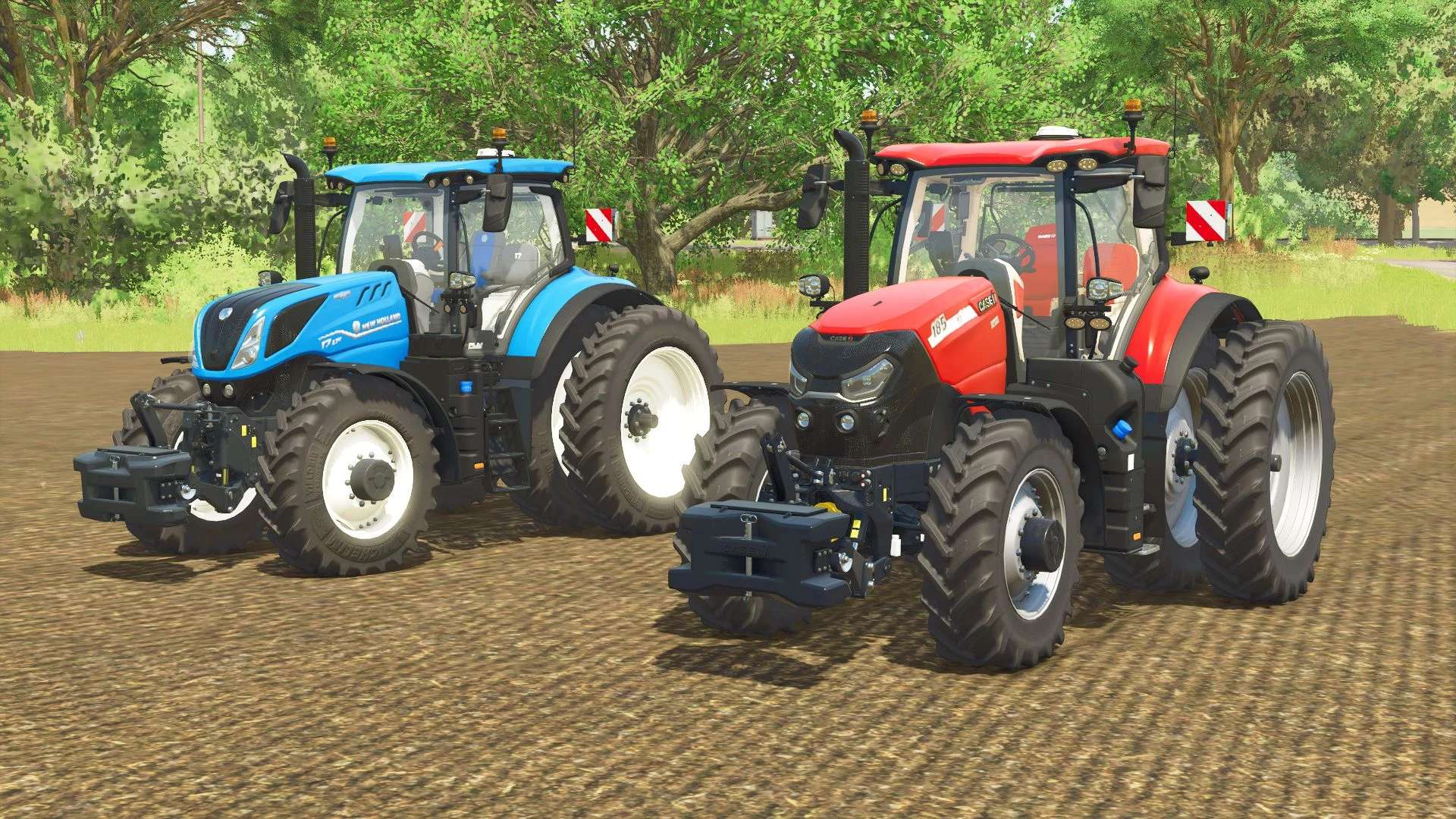
Image source: Farming Simulator 22 Mods
How to Fix Common Mod Issues and Console Bugs
Even with careful curation, introducing custom files into a complex simulation can lead to instability. Knowing how to diagnose and resolve these issues is part of the modding experience.
A widely reported issue among the console community involves the steering assist feature failing after installing certain vehicle updates. If you experience this bug on PS5 or Xbox, the current community workaround involves a two-step process: first, navigate to the ModHub and force a "Check for Update" on all installed vehicles. If the issue persists, completely uninstall the offending tractor mod, restart the console to clear the cache, and reinstall the mod fresh.
For PC players, diagnosing crashes is much more precise thanks to the log.txt file. Located in the same folder as your mods directory, this text file records every action the game engine takes. If your game crashes while loading a specific US map or truck, open log.txt and scroll to the bottom. Look for lines beginning with "Error:" or "Warning:". These lines will explicitly name the problematic `.zip` file, allowing you to delete the conflicting mod without having to guess which file caused the issue.
Frequently Asked Questions
Where is the safest place to download FS25 US mods?
The safest repository is always the Official in-game ModHub, as all files undergo testing by GIANTS Software to ensure they do not cause crashes or memory leaks. For PC players seeking scripts or unapproved mods, KingMods is widely regarded as a reliable secondary source, as they actively curate and test the files they host.
Can I use my old FS22 US mods in FS25?
No, you cannot directly transfer files between the two games. Farming Simulator 25 uses the updated Giants Editor 10 engine. Older mods must undergo a technical conversion process to update their textures, physics, and XML coding to be compatible with the new engine and new crop types.
Are there American trucks available for PS5 and Xbox?
Yes, console players have access to American trucks, but only those that have been approved for the Official ModHub and carry the "Crossplay" tag. Because consoles do not allow external scripts, any truck mod that relies on custom scripting for advanced features (like custom dashboard displays) will not be available on PS5 or Xbox.
What is a highly rated US map for large equipment?
St. Lawrence is currently a highly rated option for players utilizing large-scale equipment. It features the expansive, grid-based field layouts typical of North American farming, providing the necessary space to maneuver wide planters and massive articulated tractors without getting stuck on narrow roads.
How do I update my mods for a multiplayer server?
To ensure multiplayer synchronization, you must have the exact same file version as the server host. On PC, navigate to your mods folder, delete the outdated `.zip` file entirely, and download the new version. Do not simply overwrite the file, as this can sometimes leave residual data that causes a version mismatch error.
Why is my game crashing after installing a new tractor mod?
Crashes are typically caused by mod conflicts or outdated XML coding. On PC, you can diagnose the exact cause by opening the log.txt file located in your FarmingSimulator2025 document folder. Scroll to the bottom and look for "Error" lines, which will identify the specific file causing the engine to fail.
Final Thoughts on Building Your American Farm
Creating an authentic North American agricultural experience in Farming Simulator 25 requires moving past the base game's European-centric design. By carefully selecting regional maps, specialized equipment, and gameplay-altering scripts, you can build a highly realistic and immersive operation.
- Prioritize the Official ModHub for core vehicles to ensure baseline stability and cross-platform compatibility.
- Utilize Course Play (on PC) to manage the massive acreage typical of US-style grid maps without suffering from operational burnout.
- Match your architecture to your region by downloading specific American pole barn and shed packs rather than relying on default brick buildings.
- Monitor Giants Editor 10 updates on community forums to track the conversion progress of your favorite legacy FS22 maps.
- Maintain strict version control if you plan to host or join a multiplayer server, ensuring all players have identical `.zip` files.
- Use the log.txt file to quickly identify and remove conflicting files whenever you experience a game crash.
