
Status Update: As of June 2026, Vibrant Visuals is not yet available on Minecraft: Java Edition. The feature is currently restricted to the Preview and Beta testing phases for Bedrock Edition. Java players must wait for Mojang to complete the complex transition from the legacy OpenGL graphics API to the modern Vulkan API before official deferred rendering can be implemented.
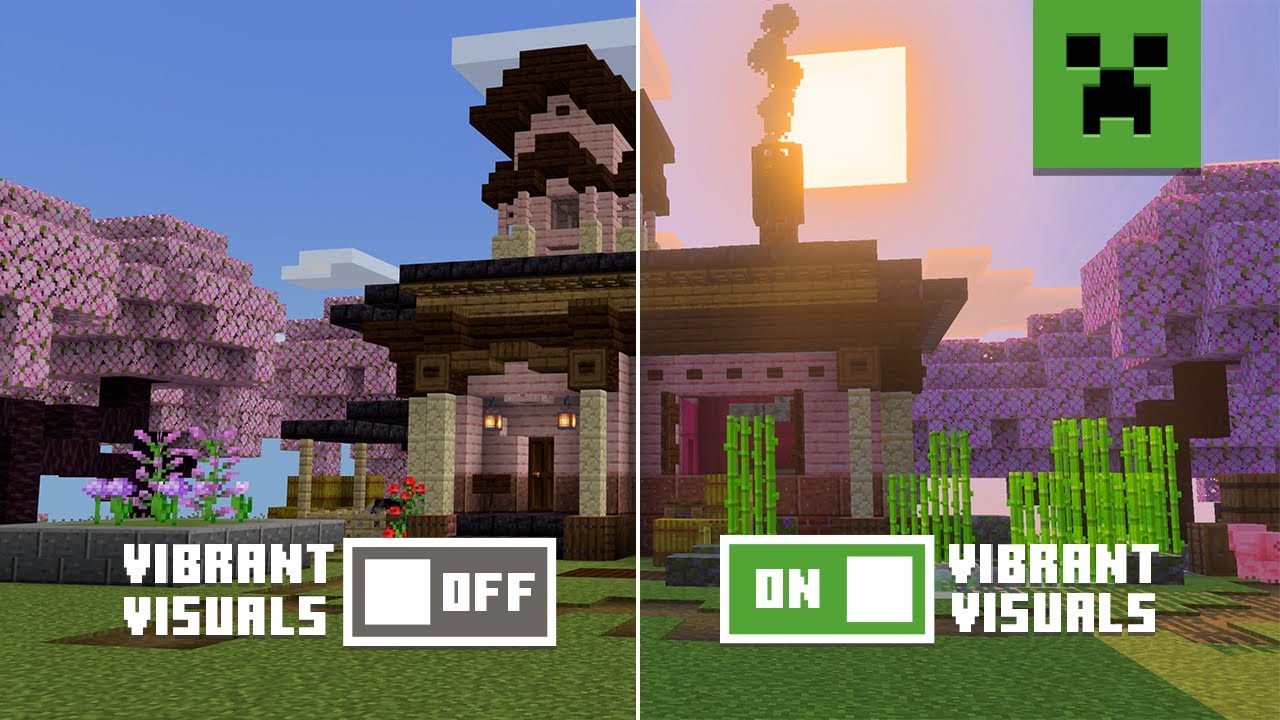
The discrepancy between the two versions of the game comes down to the foundational architecture of their respective rendering engines. Minecraft: Bedrock Edition operates on a proprietary engine known as RenderDragon. This engine was built from the ground up to interface seamlessly with modern graphics APIs like DirectX 12, Metal, and Vulkan. Because RenderDragon is unified across consoles, mobile, and Windows PCs, implementing a deferred lighting pipeline—the technology behind Vibrant Visuals—was a straightforward engineering task.
Java Edition, conversely, has relied on OpenGL since its inception in 2009. While OpenGL was a highly capable standard for cross-platform development over a decade ago, it is now considered a legacy API. It struggles to efficiently distribute rendering workloads across multiple CPU cores, creating a severe bottleneck for modern graphical features like real-time shadows, volumetric fog, and physically based rendering (PBR).
According to official communications from Mojang, Java Edition cannot support Vibrant Visuals until the game completely abandons OpenGL. To achieve this, the development team has outlined a strict three-phase roadmap:
Developers must meticulously separate the game's core logic (how blocks behave, how mobs move) from the rendering code (how things are drawn on screen). In older versions of Java Edition, these systems were heavily intertwined.
The new Vulkan API is introduced side-by-side with OpenGL. During this phase, players testing snapshots will help identify hardware compatibility issues and rendering bugs before OpenGL is permanently retired.
Once Vulkan is stable, the actual features of Vibrant Visuals—such as deferred lighting, atmospheric skies, and PBR materials—will be incrementally added to Java snapshots.
The transition to Vulkan is a highly impactful shift for the Java Edition ecosystem. Vulkan is a low-overhead, cross-platform 3D graphics API designed to give developers more direct control over the GPU. Unlike OpenGL, which relies heavily on the graphics driver to manage memory and thread scheduling, Vulkan allows the game engine to handle these tasks directly. This results in significantly better multi-core CPU utilization.
Even before the flashy lighting effects of Vibrant Visuals are introduced, the mere switch to Vulkan is expected to provide a noticeable boost to base frame rates (FPS) for many players, particularly those whose systems are currently CPU-bottlenecked.
Beyond performance, the move to Vulkan is a matter of survival for Mac users. Apple officially deprecated OpenGL in macOS Mojave (2018), signaling that they would eventually remove support for it entirely in favor of their proprietary Metal API. If Minecraft: Java Edition remained on OpenGL, it would eventually become unplayable on modern Mac hardware.
By adopting Vulkan, Mojang can utilize translation layers like MoltenVK. As discussed in technical community analyses, MoltenVK translates Vulkan calls into Metal calls in real-time, ensuring that macOS players will not only retain access to Java Edition but will also be able to experience the new graphics overhaul.
While Vulkan is highly efficient, it is not supported by all hardware. The implementation of a deferred rendering pipeline requires specific hardware capabilities that older graphics cards simply do not possess. Mojang has indicated that there will be a hardware cutoff for these new features.
The general rule of thumb within the community is the "10-Year Rule." If your Graphics Processing Unit (GPU) was manufactured before 2014 or 2015, there is a high probability it lacks the necessary architecture to support Vulkan and the upcoming deferred lighting features.
If you are unsure whether your system is ready for the update, you can perform a quick diagnostic check. Because Vulkan and DirectX 12 share similar hardware requirements, checking for DX12 support is a reliable proxy for Vulkan compatibility on Windows machines.
dxdiag and press Enter.Keep in mind that simply supporting Vulkan does not guarantee high frame rates when Vibrant Visuals is fully enabled. Deferred rendering is computationally heavy, and players with entry-level GPUs may need to lower their resolution or disable specific effects to maintain a playable experience.
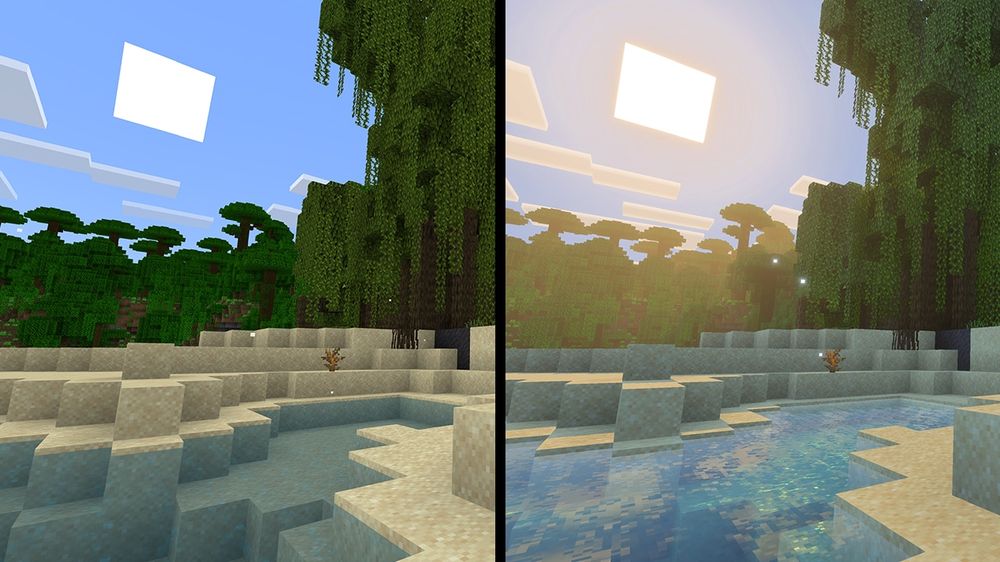
While the official update is still in the pipeline, the Java modding community has already created highly competitive alternatives. If you want to experience the exact aesthetic of the Bedrock beta on your Java client today, you do not have to wait.
While popular shaders like BSL, Complementary, and Sildur's offer incredible graphics, they have their own distinct artistic directions. If your goal is to mimic the official Mojang aesthetic, the community strongly recommends the Visual Vibrance shader, available exclusively on platforms like Modrinth.
This specific shader was engineered to replicate the deferred lighting pipeline seen in the Bedrock previews. It matches the specific color grading, shadow softness, and atmospheric fog density that Mojang is currently testing, making it a top-tier option for players who want the "vanilla plus" look.
To run these modern shaders efficiently, the legacy Optifine mod is no longer the recommended standard. Instead, players should install the Fabric mod loader paired with Sodium (a rendering optimization mod) and Iris (a shader support mod). This combination offers remarkable performance improvements, often doubling or tripling frame rates compared to older optimization methods.
To fully utilize these shaders, you need a resource pack that supports Physically Based Rendering (PBR). According to the technical specifications for Vibrant Visuals, the system relies on "MERS" texture maps. This acronym stands for:
Downloading a "Vanilla PBR" resource pack alongside your shader will activate these MERS properties, giving blocks genuine depth and realistic light interaction.
When Mojang officially rolls out the feature in Java snapshots, it will introduce several core technologies that fundamentally alter how the game looks. The update moves away from the game's traditional "baked" lighting (where light levels are calculated per block) to a dynamic, real-time system.
Based on extensive community testing in the Bedrock previews, players should be prepared for some visual growing pains when the feature hits Java. Testers have frequently reported an egregious "yellow tint" in jungle biomes and inconsistent color saturation when looking across different biome borders. Because the lighting engine is still in active development, expect early Java snapshots to feature similar color-grading bugs before they are refined.
The transition from OpenGL to Vulkan is not a simple patch; it is a complete rewrite of the game's rendering foundation. For the Java modding community, this event is already being referred to as an impending "Modpocalypse."
Any modification that interacts with how the game draws graphics on the screen will instantly break the moment the Vulkan update goes live. This includes performance titans like Optifine, Sodium, and Iris, as well as minimap mods, custom UI overhauls, and mods that add complex new block rendering (like Create).
Because the Java Edition development team is relatively small—estimated by community analysts to be around 20 to 40 core developers—they rely heavily on the community to maintain the modding ecosystem. Mod developers will have to learn the new Vulkan pipeline and rewrite their rendering code from scratch. Players should expect a significant waiting period—potentially lasting several months—before their favorite visual mods are updated to support the new architecture.
However, this disruption is widely regarded as a necessary step forward. Once the modding community adapts to Vulkan, the potential for even more advanced, highly optimized community shaders will expand significantly.
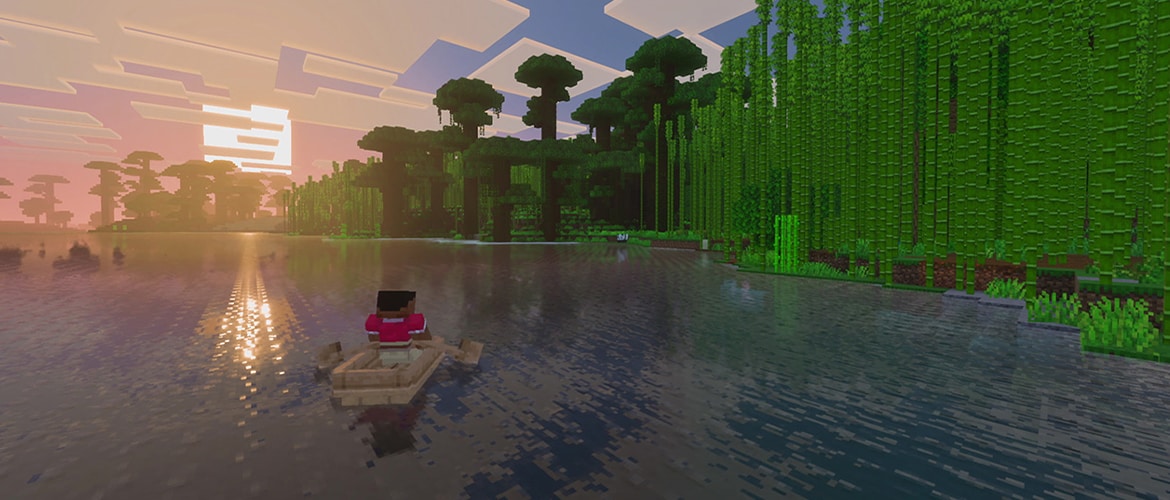
When the first Vulkan-enabled snapshots finally drop, performance will likely be unstable. Experimental rendering pipelines are rarely optimized on day one. If you experience severe frame drops or stuttering, understanding which settings to tweak will be crucial.
Based on data gathered from the Bedrock beta, the single largest drain on GPU resources is the Volumetric Fog setting. This feature calculates how light scatters through particles in the air, creating stunning "god rays" through trees. However, it requires immense computational power. If your FPS is struggling, toggling off Volumetric Fog should be your immediate first step. Many players report recovering up to 40% of their frame rate simply by disabling this one effect.
It is important to understand that Vibrant Visuals is not Ray Tracing (RTX). Ray tracing calculates the exact physical path of millions of light rays, requiring specialized hardware cores. Vibrant Visuals uses a lighter technique called Screen Space Reflections (SSR). SSR only reflects objects that are currently visible on your monitor. If you look down at the ground, the reflection of a tree in a puddle will disappear because the tree is no longer on your screen. This limitation makes deferred rendering much more accessible to mid-range hardware than full path-tracing, but it still demands a capable GPU.
The wait for official deferred rendering on Java Edition requires patience, but the underlying technical overhaul will ultimately result in a much healthier, more performant game engine. Here is what you need to remember:
